


 BSD Quick Tip
When ssh across my systems I often need to step away from the keyboard for a few minutes. This can pose a massive security threat to the system, therefore I think it's important to lock the terminal, this way I don't need to log in/out, nor leave the system insecure.
In all of the BSD's you can use a built-in utility called lock(8). When you use:$ lockwithout any options you will be asked to enter a key twice. Then your terminal will be locked for 15 mins, after that time it will become available again.
Options:
To keep your terminal locked until you return, (no 15 minute timeout), use:$ lock -n
To use your normal user password instead of a key you enter use:$ lock -p
Personally I like to use these options all of the time, therefore I add an alias so I only have to type lock.
To Alias `lock -np` to `lock` in csh or tcsh:$ edit ~/.cshrcadd:alias lock lock -np
To Alias lock -np to lock in sh:$ edit ~/.shrcadd:alias lock='lock -np'
Showing posts with label NetBSD. Show all posts
Showing posts with label NetBSD. Show all posts
Monday, December 03, 2007
Protecting Your Terminal

Wednesday, November 15, 2006
Dia
I have been busy the past couple of days getting my life on track, and also playing with my new firewall. I have been going walking 2 times a day, which is scary. Yesterday I had a bit of a play with NetBSD Live. It is based on NetBSD 4.0_BETA/i386. It runs a KDE desktop environment, and there are a few configuration steps to go through to run it. For more info please see the following links: NetBSD Recent changes, READMES in English and German.
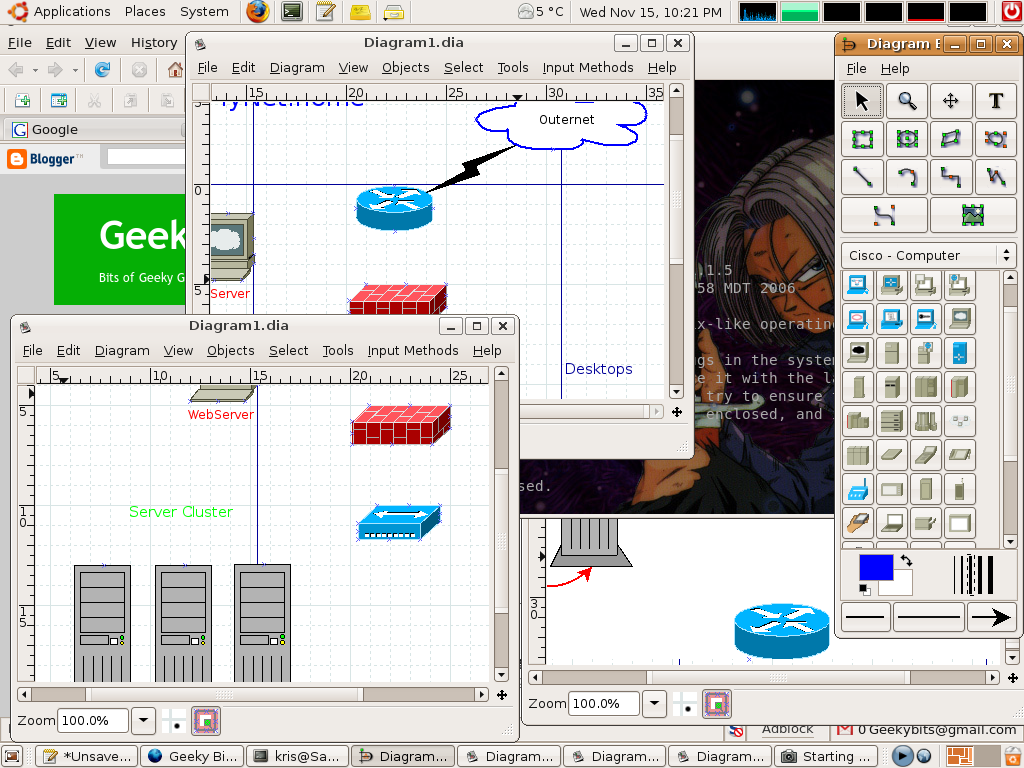
Inside of NetBSD live there was a really cool little program called Dia Which is a diagram creation program. Dia is a gtk+ based diagram creation program released under the GPL license. I love this program, you can draw diagrams of SO many things.
It currently has special objects to help draw entity relationship diagrams, UML diagrams, flowcharts, network diagrams, and many other diagrams. It is also possible to add support for new shapes by writing simple XML files, using a subset of SVG to draw the shape.So if you are drawing heaps of diagrams all the time, or even if you only draw them occasionally this program is very much worth a look. It can make your design time much shorter.
This screen shot is of me working on a dia drawn network diagram.
Have fun.
Subscribe to:
Posts (Atom)